Free Receipt Maker
THANK YOU
1. What is a Receipt? A Simple Explanation of its Purpose and Importance
At its core, a receipt is a written acknowledgement that a specified article or sum of money has been received as an exchange for goods or services. While it might seem like a simple scrap of paper that often gets crumpled into a pocket or tossed in the trash, a receipt is actually a powerful legal document. It serves as the primary proof of purchase in commerce, finalizing the transaction between a buyer and a seller. Without a receipt, the transfer of ownership is difficult to prove, which can lead to complications in legal disputes, tax audits, or warranty claims.
In the modern business landscape, receipts come in two primary forms: the traditional physical slip (often printed on thermal paper) and the increasingly common digital receipt (sent via email or generated by a Receipt Maker). Regardless of the format, the function remains the same. It provides a detailed itemized list of what was bought, the price of each item, any taxes applied, and the total amount paid.
For businesses, issuing receipts is not just a courtesy; in many jurisdictions, it is a legal requirement for transactions over a certain value. It creates an audit trail that is essential for accurate bookkeeping and inventory management. For consumers, the receipt is their "ticket" to consumer rights—granting the ability to return defective goods, exchange items, or verify expenses for reimbursement. Understanding what a receipt represents is the first step in managing your personal finances or running a compliant business.
2. How to Create a Receipt Using Our Receipt Maker Tool
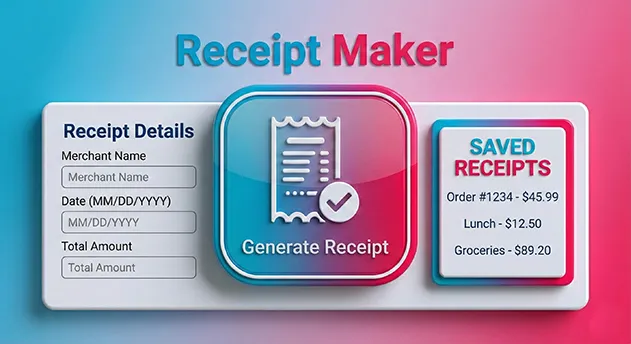
Generating a professional, authentic-looking receipt has never been easier. Our Free Receipt Maker is designed to replicate the exact look and feel of a physical thermal receipt printer without requiring any hardware. Whether you need to replace a lost receipt for an expense report or generate a quick bill for a client, follow these simple steps to get your document in seconds.
Step 1: Set Your Currency & Style
Start by selecting your local currency from the dropdown menu (USD, EUR, GBP, etc.). This ensures your receipt matches the region of the transaction. Next, choose your "Font Style." Our tool offers options like "Thermal" (standard Courier look), "Pixel" (retro dot-matrix style), or "Modern" to match different types of Point-of-Sale (POS) systems.
Step 2: Enter Business & Transaction Details
Input the business name, address, and phone number. If you are creating a replacement receipt, use the details from the original vendor. Then, use the date and time pickers to set the exact moment of the transaction. Our tool automatically generates a random "Transaction ID" and "MCC Code" to give the receipt an authentic, verifiable appearance.
Step 3: Add Items & Taxes
This is where our tool shines. Click "Add Item" to create a row. Enter the product name, price, and select the specific tax type (VAT, GST, TAX, or TIP). You can manually enter the tax percentage (e.g., 8.875% for NY Sales Tax). The tool instantly calculates the math for you, updating the subtotal and grand total in real-time. Finally, hit "Download JPG" or "Download PDF" to save your file.
3. The Difference Between Thermal Receipts and Normal Receipts
When you make a purchase at a grocery store or gas station, the receipt you receive feels different from the paper you use in your home printer. This is because it is a Thermal Receipt. Understanding the difference between thermal and "normal" (bond) paper is crucial for archiving and expense management.
Thermal Receipts:
Thermal printing does not use ink. Instead, the paper is coated with a chemical that changes color when exposed to heat. The "print head" heats up specific areas to form text and numbers.
Pros: It is incredibly fast and quiet, and merchants don't need to buy ink cartridges.
Cons: It is highly sensitive to environment. Heat, sunlight, and even friction can turn the paper black. Over time, the text fades completely, often leaving you with a blank slip of paper just when you need it for tax season.
Normal (Impact/Bond) Receipts:
These are printed using ink ribbons or inkjet technology on standard paper. You often see these in older registers or full-page invoices.
Pros: They are archival quality and do not fade.
Cons: Printing is slower, louder, and requires expensive consumables (ink/ribbon).
Our Online Receipt Maker gives you the best of both worlds. It mimics the visual style of a thermal receipt (which looks authentic for expenses) but saves it as a digital PDF/JPG file that will never fade.
4. What Information Should Be Included in a Receipt?
A receipt is only valid if it contains specific data points. If you are using our tool to generate a document for reimbursement or tax purposes, you must ensure it meets the standard reporting requirements. A "valid" receipt typically answers the questions: Who, What, When, Where, and How Much.
1. Vendor Details (The "Who" & "Where"):
The top of the receipt must clearly state the legal business name, physical address, and phone number. In some countries, a VAT Registration Number or Tax ID is also mandatory here.
2. Transaction Metadata (The "When"):
The date and precise time of the purchase are critical. This helps auditors verify that the expense occurred during a relevant business period.
3. Line Items (The "What"):
A generic "Total: $50" is often rejected by accountants. The receipt should list each item purchased individually, along with its unit price. This proves that the purchase was for business supplies rather than personal items.
4. Financial Breakdown (The "How Much"):
This includes the Subtotal (cost before tax), the specific Tax Amount (and rate), and the Grand Total. If a tip was added (common in hospitality), it should be listed separately. Finally, the Payment Method (e.g., "Visa ****") confirms how the transaction was settled.
5. Why Are Receipts Important for Personal and Business Use?
Many people view receipts as clutter, but they are actually financial assets. For individuals, a receipt is a tool for personal finance management. It allows you to track spending habits, stick to a budget, and verify bank statement charges. More importantly, it is your proof of warranty. If an electronic device fails after six months, the manufacturer will demand the original receipt to prove the purchase date before offering a repair.
For businesses, receipts are the backbone of accounting. The IRS and other tax authorities operate on a "burden of proof" system. You can claim a deduction for business expenses, but if you cannot produce a receipt during an audit, that deduction will be disallowed, and you may face penalties.
Receipts are also vital for Employer Reimbursement. If you spend your own money on business travel or supplies, your employer's finance department needs a valid receipt to reimburse you tax-free. Using our Receipt Maker to digitize or replace a lost, faded receipt ensures you don't lose money simply because a piece of paper went missing.
6. How to Customize Your Receipt Using Our Receipt Maker Tool
One size does not fit all when it comes to receipts. A receipt from a high-end boutique looks different from a receipt from a gas station or a coffee shop. Our tool provides granular customization options to ensure your generated receipt matches the context of the purchase.
Typography Control:
We offer distinct font engines. Use "Thermal" for that classic, slightly jagged look typical of older verifone printers. Use "Modern" for a cleaner, sharper look found in Square or Clover POS systems. Use "Pixel" for a dot-matrix style often found in grocery stores.
Currency & Localization:
Business is global. A receipt in New York looks different from one in London. Our tool allows you to toggle between currencies ($, €, £, etc.). It also allows you to change the Tax Label. In the USA, you might select "TAX" or "Sales Tax." In the UK or Europe, you can switch this label to "VAT." In Canada or Australia, you can use "GST." This level of detail ensures the receipt passes a visual inspection for the specific region it claims to be from.
7. Are Digital Receipts as Valid as Paper Receipts?
This is one of the most common questions we receive. The short answer is: Yes, absolutely. In fact, digital receipts are often preferred.
Tax authorities around the world, including the IRS (United States), HMRC (United Kingdom), and CRA (Canada), have accepted digital copies of receipts for years. They do not require the original thermal paper slip. Their requirement is simply that the record is legible and contains all the necessary transaction information (Date, Vendor, Amount, etc.).
The "Revenue Procedure 97-22" by the IRS specifically allows for the digitization of books and records. This means a PDF or JPG generated by our tool (provided it accurately reflects the transaction) is just as legally binding as the paper version. Digital receipts are superior because they are searchable, back-up-able, and indestructible. Unlike paper, a digital file will not turn black in a hot car or disintegrate in the washing machine.
8. What are the Common Formats for Receipts?
When you digitize a receipt, the file format matters. Our Receipt Generator offers the two most industry-standard formats: **JPG (Image)** and **PDF (Document)**. Knowing when to use which can streamline your workflow.
JPG (Joint Photographic Experts Group):
This is an image format. It is best used for quick sharing via text message or WhatsApp. It is also the preferred format for many "Expense Tracker Apps" (like Expensify or Concur) that allow you to upload a photo of a receipt. Since our tool generates a high-resolution image, the text remains crisp even when zoomed in.
PDF (Portable Document Format):
This is the professional standard. If you are emailing a receipt to a client or submitting a formal expense report to an accounting department, always use PDF. PDFs are vector-based (meaning text is selectable), they look better when printed on A4/Letter paper, and they are universally accepted by all operating systems without formatting errors.
9. Benefits of Using an Online Receipt Maker Tool for Your Business
For small business owners, freelancers, and pop-up vendors, buying a dedicated POS hardware system is expensive. A thermal printer alone can cost $200+, not to mention the ongoing cost of paper rolls. An **Online Receipt Maker** acts as a "Virtual POS," democratizing access to professional documentation.
1. Cost Efficiency:
Our tool is 100% free. You can generate unlimited receipts without spending a dime on hardware or software subscriptions.
2. Speed & Agility:
Imagine you are a freelancer who just finished a job. You can open our tool on your phone, punch in the details, generate a PDF receipt, and email it to the client while standing in front of them. It makes you look professional and organized.
3. Correction Capabilities:
We are all human. Sometimes a cashier enters the wrong date, or a handwritten receipt is illegible. Using a digital tool allows you to generate a corrected, clean version of the receipt for your records, ensuring your bookkeeping remains accurate and pristine.
10. Can I Use Our Receipt Maker Tool for Business Transactions?
Yes, this tool is highly effective for specific types of business transactions, particularly for micro-businesses, service providers, and private sales.
If you sell goods at a flea market, craft fair, or via Facebook Marketplace, you likely don't carry a printer. However, buyers often feel more comfortable with a receipt. Using this tool allows you to provide that comfort instantly. You can create a receipt that lists the item condition (e.g., "Vintage Lamp - Sold As Is"), the price, and the date, then text the JPG to the buyer immediately.
It is also invaluable for **Landlords** collecting rent in cash. Providing a digital rent receipt protects both the tenant (proof of payment) and the landlord (record of income). However, please note that while this tool generates professional documents, the accuracy of the information is the responsibility of the user. It should be used to document real transactions that actually occurred.
11. Are Receipts Required for Every Transaction?
In the world of commerce, the necessity of a receipt often depends on the context of the transaction and local laws. Generally speaking, a receipt is not legally required for every single exchange of money, especially for very small personal transactions like buying a newspaper or a coffee. However, for any transaction involving a warranty, a tax deduction, or a business expense, a receipt is absolutely mandatory.
From a legal standpoint, many consumer protection laws require businesses to provide a Receipt (Wikipedia) upon request. If a customer asks for one, the merchant must provide it. For business owners, the rule is simple: "No Receipt, No Deduction." If you cannot prove you spent the money on business operations, tax authorities will treat that money as taxable profit rather than a deductible expense. Therefore, while you may not need a receipt for a pack of gum, you certainly need one for office supplies, client dinners, and travel costs.
Using a Receipt Maker helps fill the gap when a physical receipt was not provided or was lost. It ensures you have a record for every transaction that matters, keeping your financial history complete and compliant.
12. How to Store and Organize Receipts for Easy Access
The "Shoebox Method"—stuffing crumpled paper receipts into a box—is a recipe for disaster. Thermal paper fades, ink smudges, and papers get lost. Modern financial management demands a digital-first approach. The most effective way to organize receipts is to digitize them immediately upon receipt.
The Digital Filing System:
Create a folder structure on your computer or cloud storage (Google Drive/Dropbox) organized by **Year > Month > Category**. For example: 2025 / March / Travel. When you generate a receipt using our tool, save the PDF directly into the correct folder with a descriptive name like 2025-03-12_HiltonHotel_200USD.pdf. This makes searching for specific expenses during tax season instantaneous.
Backup Strategy:
Always follow the "3-2-1 Rule" for data: keep three copies of your receipts, on two different media types, with one offsite (cloud). Since our tool allows you to download both JPG and PDF versions, you can save the PDF for your accountant and keep the JPG on your phone for quick reference.
13. The Environmental Impact of Paper Receipts vs. Digital Receipts
The shift to digital receipts is not just about convenience; it is a significant environmental necessity. Traditional paper receipts are an ecological burden. According to environmental studies, the production of paper receipts consumes millions of trees, billions of gallons of water, and generates immense amounts of solid waste every year in the United States alone.
The BPA Problem:
Worse than the paper waste is the chemical coating. Most thermal paper is coated with Bisphenol A (BPA) or Bisphenol S (BPS) to make the color-changing process work. These chemicals make thermal receipts non-recyclable. If you throw a thermal receipt into a recycling bin, it can contaminate the entire batch of recycled pulp.
By using an Online Receipt Generator, you are opting for a zero-waste solution. You create a digital file that requires no trees, no water, and no toxic chemicals. It is the greenest way to document a transaction.
14. Common Receipt Mistakes and How to Avoid Them
When generating a replacement receipt, accuracy is paramount. A receipt with errors can be flagged during an audit or rejected for reimbursement. Here are the most common pitfalls users face and how to fix them using our tool.
1. Incorrect Date/Time:
Entering the wrong date can invalidate an expense claim, especially if it falls outside a specific fiscal quarter. Always double-check the calendar picker in our tool to ensure it matches the actual transaction date.
2. Vague Item Descriptions:
Listing "Goods - $500" is suspicious. Be specific. Use our "Add Item" feature to break it down: "Hard Drive 2TB - $100", "Monitor - $300", "Cables - $100". Detailed line items lend credibility to the document.
3. Math Errors:
Manually calculating taxes is prone to human error. Our tool automates this. Simply enter the tax rate percentage, and the system calculates the exact cent amount. Trust the algorithm to prevent calculation discrepancies.
15. How Receipts Are Used in Different Countries and Regions
Receipt standards vary wildly across the globe. A valid receipt in New York might be legally insufficient in Berlin. Our tool is built with global flexibility in mind to accommodate these regional nuances.
North America (USA/Canada):
Receipts focus on "Sales Tax." This is usually added on top of the listed price. Our tool's default setting allows you to add tax to the subtotal, matching this standard.
Europe & UK (VAT Regions):
In these regions, the price displayed often includes the tax (VAT). When using our tool for EU transactions, ensure you select "VAT" from the dropdown. You may need to adjust your line item prices to reflect the pre-tax amount if you want the tool to calculate the VAT add-on, or simply list the gross price and set tax to 0% if the receipt is simplified.
Australia/New Zealand (GST):
Similar to VAT, the Goods and Services Tax is a critical component. A valid tax invoice here must clearly display the words "Tax Invoice" (which you can type into the header using our custom input fields) and show the GST component clearly.
16. Can I Edit a Receipt After It’s Been Created?
Once a PDF or JPG is generated and downloaded, it is a static "read-only" file. You cannot edit the text inside the image itself without specialized software (like Photoshop), which can leave digital artifacts that look unprofessional.
However, our Receipt Maker is designed for rapid iteration. If you notice a mistake on your downloaded file (e.g., a typo in the address), you do not need to start over from scratch. As long as you do not refresh the web page, your data remains in the input fields.
Simply correct the typo in the form and click "Download" again. This generates a fresh, corrected file instantly. This workflow ensures that your final document is always perfect without requiring complex PDF editing tools.
17. How to Print or Download Your Receipt from Our Tool
Getting your receipt from your screen to the real world is simple. We offer two primary export methods, each suited for different physical output needs.
Downloading:
Click the "Download PDF" button for the highest quality. This file is vector-based and scalable. Save it to your device.
Printing on Standard Printers:
Open the PDF. Select "Print" (Ctrl+P). Ensure "Scale to Fit" is unchecked to maintain the receipt's narrow dimensions, or let it center on the A4 page.
Printing on Thermal Printers:
If you have a specialized 58mm or 80mm thermal printer, our tool is perfect. Download the JPG image. Open the image and print it using your thermal printer's driver settings. Because our generated image uses high-contrast black and white pixels (dithering style), it prints incredibly clearly on thermal paper, looking exactly like a store-bought receipt.
18. Why Some Receipts Are Printed on Thermal Paper and Others on Regular Paper
The choice of paper depends on the longevity required for the document. Thermal paper is used for high-volume, low-importance transactions (grocery, fast food) because it is fast and cheap. The mechanics of a thermal printer are simple: there are fewer moving parts to break.
Regular paper (Impact or Laser) is used for high-value transactions where the record must last for years (car dealerships, law firms, wholesale invoices). Ink on bond paper does not degrade with heat.
The "Hybrid" Approach:
Our tool allows you to create a "Digital Thermal Receipt." It has the aesthetic of a thermal receipt (which implies a Point-of-Sale transaction) but exists as a digital file that has the longevity of bond paper. It never fades, offering the best features of both formats.
19. Receipt Templates: How to Use Pre-Made Designs for Quick Creation
Templates are the secret to speed. Instead of designing a receipt layout from scratch, our tool provides pre-configured templates that adhere to industry standards. By selecting a "Style" (Thermal, Pixel, or Modern), you are essentially loading a template that dictates font choice, margin spacing, and line density.
This template-based approach ensures consistency. If you run a small shop, you want every receipt to look identical to build brand trust. Simply keep your browser tab open, and the "Business Details" will remain filled, ready for the next customer.
Expanding Your Toolkit:
Businesses often need more than just receipts. If you are shipping physical goods to customers, you will also need professional shipping documentation. We recommend pairing this receipt tool with our Shipping Label Maker. Just as this tool generates your proof of purchase, the Label Maker generates your proof of delivery, giving you a complete logistics paperwork suite.
20. Disclaimer: Receipts Generated with Our Tool Are for Personal Use Only
While our Receipt Maker is a powerful utility, it must be used responsibly and ethically. Cloud2Convert provides this tool for legitimate purposes such as: replacing lost personal receipts for budgeting, creating novelty items for theater/film props, or generating invoices for legitimate freelance work where you are the authorized seller.
Zero Tolerance for Fraud:
This tool must never be used to create fraudulent documents for tax evasion, insurance fraud, or expense report theft. Falsifying a financial document is a serious crime. The user assumes full responsibility for the data entered into the generator. We do not verify, endorse, or save the data you input. By using this tool, you agree to use it solely for lawful personal or business administrative purposes.
21. Frequently Asked Questions (FAQ)
Popular Business Tools
Our Calculators
Math / Finance / Health- BMI Calculator
- Body Fat Calculator
- TDEE Calculator
- Macro Calculator
- Chronological Age Calculator
- CGPA Calculator
- Land Loan Calculator
- EMI Calculator
- Inflation Calculator
- Mortgage Calculator
- Fraction Calculator
- Concrete Calculator
- Compound Interest Calculator
- Salary & Paycheck Calculator
- Percentage Calculator
- Mulch Calculator
- Margin Calculator
- Time Card Calculator
Our Unit Converters
Values / UnitsOur Name Generators
Names / StylesOur Writing/SEO Tools
Writing / SEOOur Image Converter Tools
Image / ConversionOther Tools
Utilities- Check IP Address
- Instagram Follower Count
- Instagram Profile Viewer
- TikTok Viewer & Money Calculator
- YouTube Channel ID Finder
- YouTube Tag Extractor
- Today’s Prayer Times By City
- Timer – Free Online Countdown
- Time Difference Tool
- Shipping Label Maker
- Free Receipt Maker
- Wheel of Names
- What Animal Am I?