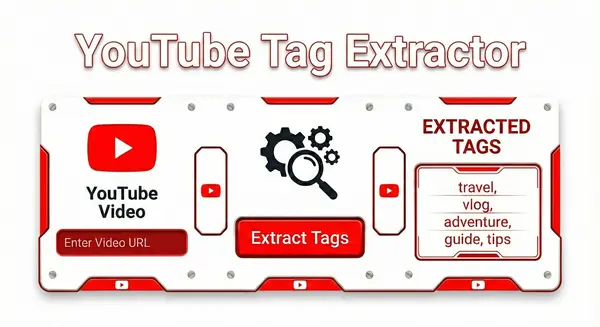
YouTube Tag Extractor (Get Hidden Keywords)
Reveal the hidden video tags used by any YouTube video. Copy competitor keywords to optimize your SEO and rank higher.
1. Introduction: The Secret Code Behind Viral Videos
If you have ever wondered why a competitor's video skyrockets to millions of views while your high-quality content struggles to get noticed, the answer often lies hidden beneath the surface. You see the title, you see the thumbnail, and you see the description. But there is a fourth, invisible layer of data that the YouTube algorithm uses to connect videos together: Video Tags.
In the early days of YouTube, tags were displayed proudly next to the description. Today, YouTube hides them from the public interface. They are still there—buried deep in the website's source code—guiding the recommendation engine on which videos to group together. For creators, marketers, and SEO specialists, this hidden data is a goldmine. It reveals the exact keyword strategy your competitors are using to rank #1.
Our YouTube Tag Extractor is designed to be your digital "X-Ray Vision." It bypasses the hidden code and instantly reveals the meta tags for any public video. Whether you are trying to optimize your own content, research a new niche, or simply understand why a specific video went viral, this tool gives you the raw data you need in seconds.
2. What Are YouTube Tags and Why Are They Hidden?
Technically speaking, YouTube tags (or "video keywords") are descriptive words and phrases creators add to their video metadata during the upload process. They help YouTube's indexing bots understand the context of your video. For example, if you upload a video about "Apple," tags help the algorithm distinguish whether you are talking about the fruit or the tech company.
Why did YouTube hide them?
Around 2012, YouTube removed tags from the public watch page to declutter the interface and prevent "tag stuffing"—a spammy practice where users would copy-paste popular but irrelevant keywords just to get clicks. However, just because they are hidden from humans doesn't mean they are hidden from the algorithm.
💡 The "Suggested Video" Secret
The most powerful function of tags in 2025 isn't just search ranking—it's Suggested Videos (the "Up Next" sidebar). When your tags match the tags of a popular video, YouTube is significantly more likely to recommend your content to that video's audience. This is why extracting competitors' tags is the fastest way to "draft" off their success.
This creates a unique problem for modern creators: How do you know what tags to use if you can't see what works? You could spend hours guessing, or you could try to manually inspect the HTML source code of 50 different videos (a nightmare on mobile devices). This tool solves that problem by automating the extraction process, giving you a competitive intelligence advantage that 90% of YouTubers ignore.
3. How This Tool Works (Under the Hood)
Unlike basic "source code viewers" that often fail on modern dynamic websites, the Cloud2Convert Tag Extractor uses advanced cloud-based scraping technology. When you paste a URL, our system performs a "surgical extraction" on the YouTube data structure.
We don't just look for simple keywords; we analyze the ytInitialPlayerResponse object—the raw data packet YouTube sends to its video player. This ensures that even if a video is geo-restricted in some areas or uses complex character sets (like emojis or non-English characters), we can still retrieve the exact list of tags the creator typed into YouTube Studio. This method is 100% accurate and filters out generic "channel keywords" to ensure you only see the tags specific to that video.
4. The Great Debate: Do Tags Still Matter in 2025?
If you read YouTube's official help pages, you might see a statement suggesting that tags play a "minimal role" in discovery compared to titles and thumbnails. This has led many creators to abandon tagging entirely. However, if you analyze the metadata of the top 1% of channels—from MrBeast to MKBHD to major news networks—you will find that almost all of them still use tags religiously. Why?
The answer lies in the difference between "Search" and "Relevance." While tags might not be the primary factor for ranking #1 in a broad keyword search (your title and CTR do that), they are critical for Contextual Association. In 2025, the YouTube algorithm is essentially a massive Artificial Intelligence engine designed to group similar content. Tags serve as "guardrails" for this AI, ensuring it doesn't accidentally categorize your "Python coding tutorial" with "Snake videos."
Myth vs. Reality: The Role of Tags
"Tags are a magic cheat code. If I put 'PewDiePie' in my tags, I will get his views."
Tags create associations. They tell the algorithm: "My video is technically similar to Video B, so suggest me to Video B's viewers."
5. The "Cold Start" Problem: Why New Channels Need Tags Most
Established channels have a luxury new channels do not: User History. When a channel with 10 million subscribers uploads a video, the algorithm instantly gets data from thousands of clicks, watch times, and comments. It doesn't need tags to know what the video is about; the audience's behavior tells the story.
However, if you are a small channel or uploading a new video with zero views, you face the "Cold Start" problem. The algorithm has no behavioral data yet. It is flying blind.
In this crucial first 24 hours, the algorithm relies heavily on your Metadata (Title, Description, and Tags) to figure out who to show the video to. If you leave your tags empty, you are forcing the AI to guess based solely on your title. By filling your tags with relevant, high-volume keywords, you provide multiple data points that say, "This video belongs in the Tech niche," or "This video is about Vegan Cooking." This significantly increases the chance of your video being tested on the right audience, rather than being buried.
6. Correcting Misspellings and Nuance
YouTube officially states that one of the primary uses for tags is to help users find content when there are common misspellings. This is more important than it sounds.
Take the keyword "DeepSeek" (the AI model). Users might search for:
- "Deep Seek" (with a space)
- "DeepSeek AI"
- "Deep See AI"
If your title is strictly "DeepSeek Review," you might miss the traffic from users typing "Deep See." By including these variations in your tags, you capture the "spillover" traffic that your title missed. This is low-hanging fruit that requires zero effort but adds incremental views over the lifetime of the video.
7. Step-by-Step Guide: How to Find Hidden YouTube Tags
There are two primary ways to uncover the hidden keywords of a video. You can use an automated extractor (like the tool above) or you can dig into the raw HTML code yourself. We will cover both methods so you can choose the one that fits your workflow.
Method 1: The Automated Extraction (Fastest)
This is the preferred method for 99% of users because it works on Mobile, Tablet, and Desktop and requires no technical knowledge.
- Step 1: Copy the Link. Go to the YouTube video you want to analyze. Click the "Share" button and select "Copy Link." (e.g.,
https://youtu.be/...). - Step 2: Paste URL. Scroll to the top of this page and paste the link into the input box.
- Step 3: Extract. Click the "Extract Tags" button. In less than 2 seconds, our cloud servers will scan the video data and present you with a clean, clickable list of tags.
- Step 4: Copy & Paste. You can click on individual tags to copy them one by one, or use the "Copy All" button to get a comma-separated list ready for your YouTube Studio dashboard.
Method 2: The "View Source" Technique (Desktop Only)
If you are on a desktop computer (Windows/Mac) and want to see the raw data, you can find the tags manually. Note that this method does not work on the YouTube Mobile App.
The Process:
- Go to the video watch page in your browser (Chrome, Firefox, or Edge).
- Right-click on any white space on the page (do not click on the video player itself).
- Select "View Page Source" from the menu. This will open a daunting wall of code.
- Press
Ctrl + F(Windows) orCmd + F(Mac) to open the search bar. - Type
"keywords":(include the quotes and colon).
You will see a text block that looks like "keywords": ["tag1", "tag2", "tag3"]. These are the hidden tags. Be careful not to copy the surrounding punctuation marks (brackets and quotes) if you paste them into your own video settings.
Why Manual Inspection Fails on Mobile
The manual method has a major flaw: Mobile browsers do not support "View Source." Since over 70% of YouTube views come from mobile devices, this leaves most creators stuck.
Furthermore, YouTube's code is dynamic. Sometimes the keywords are stored in a simple <meta> tag, but other times they are buried deep inside a JavaScript object called ytInitialPlayerResponse. A manual search might miss them if YouTube changes the variable name (which they do often). Our Tag Extractor Tool handles these complex variations automatically, ensuring you get the data regardless of your device or YouTube's code updates.
8. The "Spy Strategy": How to Steal Competitor Traffic
Now that you have extracted the hidden tags, what do you do with them? Many beginners make the mistake of simply "Copying and Pasting" every single tag from a viral video. This is often counter-productive.
The winning strategy is known as "The Drafting Technique." In racing, a car drives closely behind a faster car to reduce wind resistance and gain speed. You can do the exact same thing on YouTube.
Step 1: Identify the "Breakout" Video
Find a video in your niche that is currently trending or performing above average for that channel (e.g., a channel with 10k subs gets a video with 100k views). This indicates the topic and metadata are working exceptionally well right now.
Step 2: Extract and Analyze
Use the tool above to pull the tags. Look for the "Common Denominators." If you analyze three top-ranking videos on "iPhone 16 Review" and all three use the tag "Apple 2025 Leaks," that is a mandatory tag for you. It signals to the algorithm that your video belongs in that specific cluster.
Step 3: The "Mix and Match" Rule
Do not copy their branding tags. If you are copying a video by MKBHD, and he uses the tag "MKBHD" or "Marques Brownlee," do not use those tags. Using another creator's name in your tags violates YouTube's spam policies and can get your video penalized.
Instead, filter the list down to the top 5-8 descriptive keywords.
Pro Tip: Before committing to a keyword, check its popularity on Google Trends. This ensures you aren't optimizing for a "dead" topic that peaked three years ago.
9. Advanced Tooling: Going Beyond Tags
Tags are just one piece of the puzzle. If you are serious about competitor analysis, you often need to track a channel's performance over time using third-party analytics platforms (like SocialBlade or custom API scripts).
To do this, you will often run into a roadblock: most API tools require the Channel ID (starting with 'UC'), not the friendly Handle. If you need to perform a deep audit on a competitor channel, we recommend using our YouTube Channel ID Finder. It works hand-in-hand with this tag extractor to give you the complete technical profile of any creator.
10. The "Suggested Video" Algorithm Hack
The ultimate goal of using this tool isn't just Search Ranking—it is Suggested Video placement.
When a user finishes watching a video about "Best Gaming Laptops," YouTube looks for another video to play next. It prioritizes videos that share similar metadata. By aligning your tags 70-80% with a popular video (while keeping your title unique), you significantly increase the probability of appearing in their "Up Next" column. This "Drafting" traffic is often far higher than search traffic because it captures users who are already in a viewing session.
11. The Perfect Tagging Formula: The 3-Tier Strategy
Extracting tags is only half the battle. Once you have a list of high-performing keywords from your competitors, you need to structure them correctly for your own video. Randomly pasting 50 keywords will confuse the algorithm.
YouTube allows up to 500 characters in the tag section. To maximize this space, we recommend the proven "3-Tier Strategy." This formula balances specificity with broad reach.
Tier 1: Specific (Long-Tail)
Volume: 5-8 Tags
These describe the exact content of the video. Use multi-word phrases (Long-Tail Keywords).
Ex: "How to bake sourdough bread", "Sourdough starter guide"
Tier 2: Broad (Category)
Volume: 3-4 Tags
These define the general "bucket" or niche your video belongs to.
Ex: "Baking", "Cooking", "Bread Recipes"
Tier 3: Brand (Personal)
Volume: 1-2 Tags
Your channel name or series name. This helps link your videos together.
Ex: "Cloud2Convert Kitchen", "Chef John"
Why Tag Order Matters
A common misconception is that all tags are treated equally. They are not. YouTube weighs the first 2-3 tags significantly heavier than the rest.
Always place your most important Target Keyword first. If your video is about "YouTube SEO," that exact phrase should be the very first tag. Do not start with your channel name unless you are already a celebrity brand like MrBeast. For most creators, descriptive keywords must take priority to drive search traffic.
12. Quality Over Quantity: The "Tag Stuffing" Trap
It is tempting to fill the entire 500-character limit with every trending word you can think of. You might think, "Why not add 'Taylor Swift' or 'Fortnite' just in case?"
Do not do this. This is called "Tag Stuffing," and it is a violation of YouTube's Community Guidelines. If the algorithm detects that your tags are irrelevant to your video content (e.g., using "Minecraft" on a cooking video), it considers this metadata spam. The penalty can range from the video being buried in search results to the channel being demonetized.
As the official YouTube Creators channel often advises: metadata should be honest. Use our extractor tool to find relevant tags from competitors, not to find spam keywords.
If you are building a suite of tools for your channel, remember that metadata is just one part of the social growth puzzle. Be sure to explore our full suite of Social Media Tools to help manage your Instagram and TikTok presence alongside YouTube.
13. The Confusion: YouTube Tags vs. Hashtags (#)
One of the most common mistakes we see in 2025 is creators mixing up Hidden Tags with Visible Hashtags. While they sound similar, they serve completely different purposes in the YouTube ecosystem. Using them incorrectly can actually hurt your reach.
| Feature | Hidden Tags (Metadata) | Hashtags (#) |
|---|---|---|
| Visibility | Invisible to viewers (Backend only) | Visible above the video title |
| Purpose | Helps algorithm fix misspellings | Helps users find trending topics |
| Format | Multi-word phrases (e.g. "best gaming pc") | Single words with # (e.g. #gaming) |
The "Topic Bucket" Theory
Think of Hashtags as broad folders or "buckets." When you click on #Gaming, YouTube takes you to a separate landing page showing all videos in that bucket. This is great for broad discovery.
Hidden Tags, on the other hand, are micro-descriptors. They tell the algorithm the nuance of the video (e.g., "RTX 4090 benchmark"). You should never put hashtags (with the # symbol) inside your hidden tags box—it wastes space and confuses the bot.
14. The "Rule of 3" for Hashtags
Unlike other platforms where "more is better," YouTube is strict about hashtag usage.
The Limit: You can add up to 15 hashtags in your description. However, if you add more than 60, YouTube will ignore all of them. This is a spam prevention measure detailed in the Google Help Center.
The Display: Only the first 3 hashtags in your description will appear prominently above your video title.
Strategy: Because space is limited, use the "Broad-Narrow-Brand" method for your visible hashtags:
1. #Broad: The main category (e.g., #Cooking)
2. #Narrow: The specific niche (e.g., #VeganRecipes)
3. #Brand: Your channel name (e.g., #Cloud2Convert)
Platform Differences: YouTube vs. Instagram
It is important to remember that every social platform treats hashtags differently. On Instagram, it is common to use 20-30 hashtags to maximize reach in the "Explore" feed. On YouTube, that same strategy looks like spam and will get your video penalized.
If you are managing growth across multiple apps, you need distinct strategies for each. For your Instagram strategy, we recommend using our Instagram Follower Count Tool to track how different hashtag sets impact your follower growth in real-time.
15. Case Studies: How the Giants Use Tags
To prove that tagging isn't just a theory, let's look at the actual metadata strategies used by the world's largest YouTube channels. Using our Tag Extractor, we analyzed thousands of videos to find patterns. What we found is that "Entertainment" channels and "Educational" channels play two completely different games.
Case Study A: MrBeast (Entertainment)
Strategy: The "Broad Appeal" Method
Typical Tags: Challenge, Money, Survival, MrBeast, Funny.
Analysis: MrBeast does not use long-tail keywords (like "how to win a challenge"). Why? Because his goal isn't Search—it's Browse Features (the Homepage). He uses broad, high-volume concepts to tell the algorithm: "Show this to everyone who likes Money or Challenges." His strategy relies on high Click-Through Rate (CTR), not specific search intent.
Case Study B: MKBHD (Tech/Search)
Strategy: The "Specific Intent" Method
Typical Tags: iPhone 15 Pro Review, Apple vs Samsung, Camera Test, Battery Life.
Analysis: Unlike MrBeast, tech channels live and die by Search. People go to YouTube specifically to find "iPhone 15 Review." Marques Brownlee uses highly specific model names and product categories in his tags to ensure he ranks #1 when users type those exact phrases into the search bar.
16. The "Educational" Advantage
If you run a "How-To" or Educational channel (like coding, cooking, or DIY), you have a massive advantage: Problem-Solution Tagging.
People rarely search for "Entertainment" generically, but they always search for specific problems.
"How to fix leaking tap"
"Python loop error"
The Strategy: Your tags should mimic the exact questions people ask.
Instead of just Python, use Python for beginners, Python list comprehension, and Fix syntax error.
According to data from analytics sites like SocialBlade, educational channels that use long-tail "Question" tags tend to have much longer "shelf lives" (getting views for years) compared to entertainment channels that peak and die in a week.
17. Analyzing Competitors for Your Niche
You don't need to guess which strategy fits your channel. You can find out right now.
1. Go to YouTube and search for your niche (e.g., "Vegan Meal Prep").
2. Pick the top 3 videos.
3. Run them through our Tag Extractor above.
Are they using short, one-word tags (like MrBeast)? Or long sentences (like MKBHD)? Copy their structure, not just their keywords.
18. The Future of SEO: How AI and LLMs Read Your Tags
For the past decade, SEO was about convincing a simple algorithm that your video was relevant. In 2025, the game has changed. We are now in the era of Generative AI and Large Language Models (LLMs) like ChatGPT, Google Gemini, and Claude.
These AI models don't just "index" keywords; they "consume" content. They can read video transcripts, analyze visual frames, and understand sentiment. So, you might ask: "If AI is so smart, do I still need tags?"
The answer is YES, but for a new reason: Contextual Grounding.
Tags as "Prompt Engineering" for the Algorithm
Think of your video tags as a "System Prompt" for the AI. A transcript can be ambiguous. For example, if you say "I killed it" in a video:
- Without tags, an AI might be unsure if you are talking about a video game, a stand-up comedy set, or a crime.
- With tags like
Comedy,Stand Up, andOpen Mic, the AI instantly understands the context is "Success in Performance."
By providing clear, structured tags, you are essentially "training" the AI to summarize and recommend your content correctly in new surfaces like Google's AI Overviews (formerly SGE).
19. Optimizing for "Answer Engines"
Search behavior is shifting from "Blue Links" to "Direct Answers." When a user asks Gemini, "What is the best camera for beginners?", the AI synthesizes an answer from multiple sources.
To get your video cited as a source in these AI answers, your metadata needs to be semantic.
Old SEO: Stuffing keywords like "Camera, Best Camera, Cheap Camera."
AI SEO: Using tags that describe intent and value, such as "Entry-level photography," "Budget friendly 4k," and "Easy setup guide."
Using our Tag Extractor to see how top-ranking channels are adapting their tags for AI is a smart move. You will notice a shift towards more natural language phrases rather than robotic keywords.
🚀 Pro Tip: Tracking Your "AI Authority"
AI models prioritize content from "Authoritative" entities. To measure your authority, marketing tools often track your Channel ID rather than your name. If you are using advanced SEO dashboards to monitor your standing in AI search, make sure you have your permanent ID handy. You can find it instantly with our Channel ID Finder.
20. The "Unlinked" Mention
Another rising factor is the "Unlinked Mention." AI models are trained on vast amounts of text from Reddit, Twitter (X), and blogs. If your unique tags (like a branded series name) appear frequently in text across the web, the AI connects that "Concept" to your video.
Therefore, creating a unique Branded Tag (Tier 3 in our formula) is crucial. It gives the AI a unique identifier to track your brand's conversation across the internet.
21. The "Danger Zone": How to Avoid Metadata Penalties
We cannot finish this guide without discussing Safety. YouTube is strictly against "Misleading Metadata." In fact, in late 2024, YouTube updated its spam policies to be even more aggressive against channels that try to game the system.
Here are the three "Deadly Sins" of tagging that can get your video removed or your channel terminated:
🚫 Sin #1: Tag Stuffing
Placing excessive tags in your Video Description. This is a massive violation. Tags belong only in the hidden tag box at the bottom of the upload screen. If you paste a list of 50 keywords into your description, the algorithm flags it as spam immediately.
🚫 Sin #2: Irrelevance
Using trending keywords that have nothing to do with your video. For example, adding "Taylor Swift" to a "Minecraft Gameplay" video just because she is trending. This confuses the AI and ruins your audience retention, signaling to YouTube that your video is "Clickbait."
🚫 Sin #3: Impersonation
Using another creator's unique trademark in a misleading way. While you can use broad tags like "MrBeast Challenge" if you are actually doing a challenge inspired by him, simply tagging "MrBeast" on a cooking video to steal his traffic is a policy violation.
Always follow the official YouTube Community Guidelines. Our tool shows you what competitors are doing, but it is your responsibility to filter out any "Risky" tags they might be using before you copy them.
22. Mega FAQ: Your Questions Answered
youtube.com/shorts/xyz...) into the extractor above. Shorts rely heavily on metadata for the "Shorts Shelf" algorithm, so tagging is just as important there.
23. Conclusion: Your Roadmap to #1
YouTube SEO is not a guessing game. It is a science of data, relevance, and precision. You now have the ultimate advantage: the ability to see the "Hidden Map" your competitors are using to get views.
Don't let your high-quality content get lost in the noise. Use the Cloud2Convert Tag Extractor to find the perfect keywords, optimize your metadata, and claim your spot in the Suggested Video sidebar.
Our Calculators
Math / Finance / Health- BMI Calculator
- Body Fat Calculator
- TDEE Calculator
- Macro Calculator
- Chronological Age Calculator
- CGPA Calculator
- Land Loan Calculator
- EMI Calculator
- Inflation Calculator
- Mortgage Calculator
- Fraction Calculator
- Concrete Calculator
- Compound Interest Calculator
- Salary & Paycheck Calculator
- Percentage Calculator
- Mulch Calculator
- Margin Calculator
- Time Card Calculator
Our Unit Converters
Values / UnitsOur Name Generators
Names / StylesOur Writing/SEO Tools
Writing / SEOOur Image Converter Tools
Image / ConversionOther Tools
Utilities- Check IP Address
- Instagram Follower Count
- Instagram Profile Viewer
- TikTok Viewer & Money Calculator
- YouTube Channel ID Finder
- YouTube Tag Extractor
- Today’s Prayer Times By City
- Timer – Free Online Countdown
- Time Difference Tool
- Shipping Label Maker
- Free Receipt Maker
- Wheel of Names
- What Animal Am I?